Quick start
Sales Team Toolbox is pre-wired for your industry, so you can go from sign-up to your AI rep working leads on the same day — no workflow-building required and no agency.
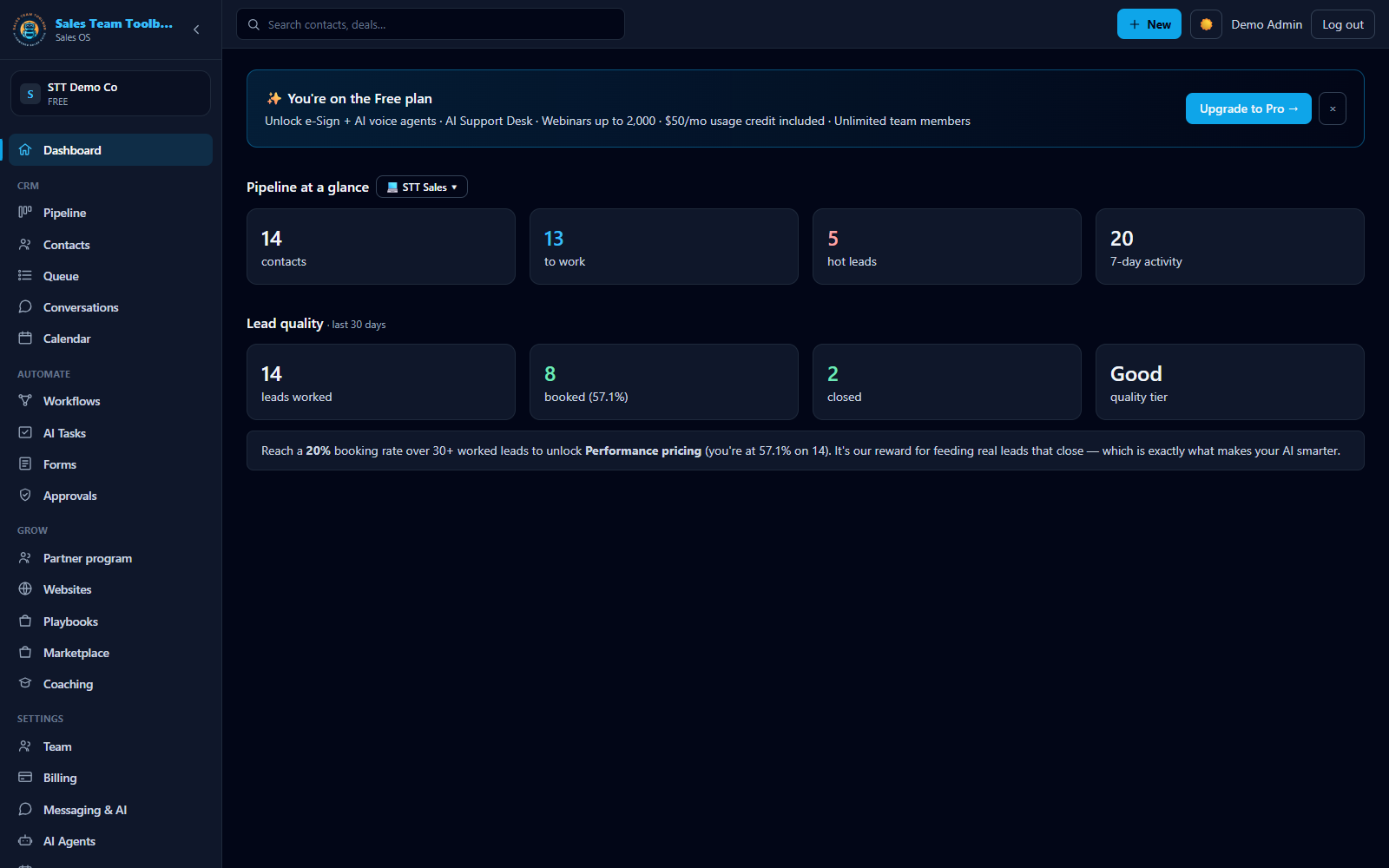 Your dashboard — pipeline at a glance, plus how your AI is booking and closing.
What you'll set up
In about 15 minutes you'll create your account, load your industry playbook, add a few leads, and work your first one. Texting and AI outreach turn on after a quick one-time business-verification step (see Business texting).
-
Create your free account
Go to app.salesteamtoolbox.com/signup. The Free plan includes the full CRM and your AI rep with no credit card — you only pay for the calls, texts, and AI you actually use.
-
Pick your industry playbook
On the onboarding screen, choose your industry. All thirteen industries ship as fully-built playbooks — solar, HVAC, SaaS, roofing, home remodeling, real estate, mortgage, insurance, auto sales, med spa, dental, law office, and online/digital. Picking yours also deploys a ready-to-run follow-up workflow suite and Autopilot goals. That suite — about seven workflows plus Agent Goals tuned to your industry — is deployed and running from the moment you sign up; see Your niche suite. Your pick pre-loads a pipeline, your AI agent, lead tiers, and follow-up sequences. See Your industry playbook.
-
Add your first leads
Open CRM and add a lead, or paste a list to bulk-import (
Name, Phone, Email, Tier). New leads land in the first pipeline stage. See The Thinking CRM. -
Work your first lead
Open CRM. Your leads are cards on the pipeline board — click the tier chips to filter to Hot, then hit "Work this lead now" on a card. That enrolls the lead in your follow-up sequence and tells you exactly what it started. Drag the card to the next stage as the deal moves. See Work the list.
-
Turn on your AI rep
Open AI Tasks and run "Work my new leads." Your AI rep, Arianna, drafts a first touch for each new lead. Nothing sends until you approve it in the Approvals inbox. See Your AI rep & Approvals.
Your dashboard has a getting-started checklist that tracks these steps for you and disappears once you're up and running.
What you get on every plan
- The Thinking CRM — the pipeline board you work your list on, plus contacts and lead tiers.
- Your AI rep (Arianna) — drafts and runs follow-up; you approve before anything sends.
- Unlimited team members on paid plans (the Free plan includes up to 2).
- Webinars and e-Sign included on paid plans — one login, one bill.
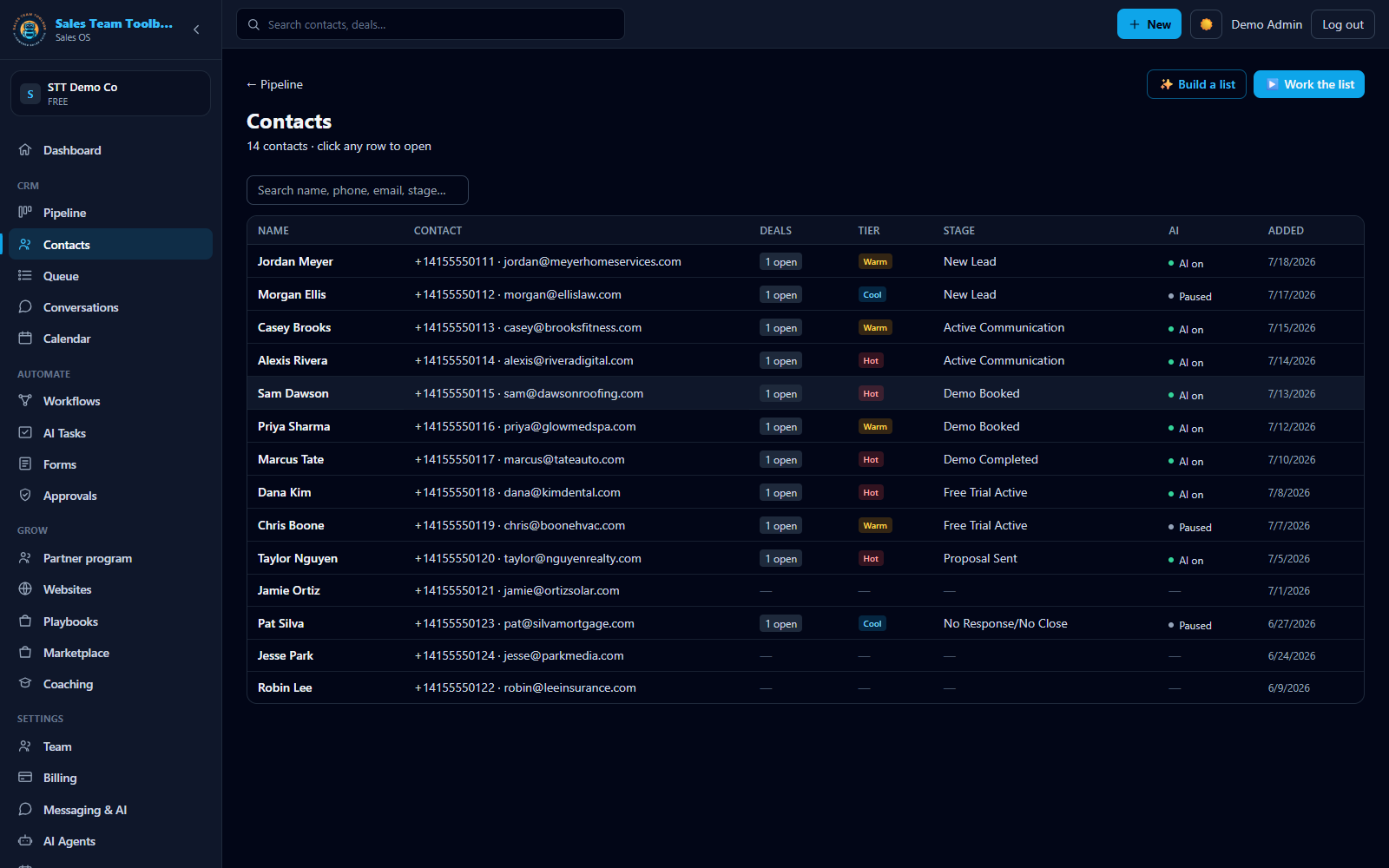 Your Contacts — the permanent database of people behind every deal.
Where things live
The left-hand navigation in the app is your map: Dashboard, CRM, AI Tasks, Workflows, Approvals, Team, Billing, and Pricing. Webinars open in their own app from your dashboard via single sign-on.
Next steps
Ready? Create a free account and your industry playbook loads on day one.
Start free