The Thinking CRM
The CRM is the foundation of your account. It's a pre-wired pipeline and contact database — plus an AI rep that acts on it for you.
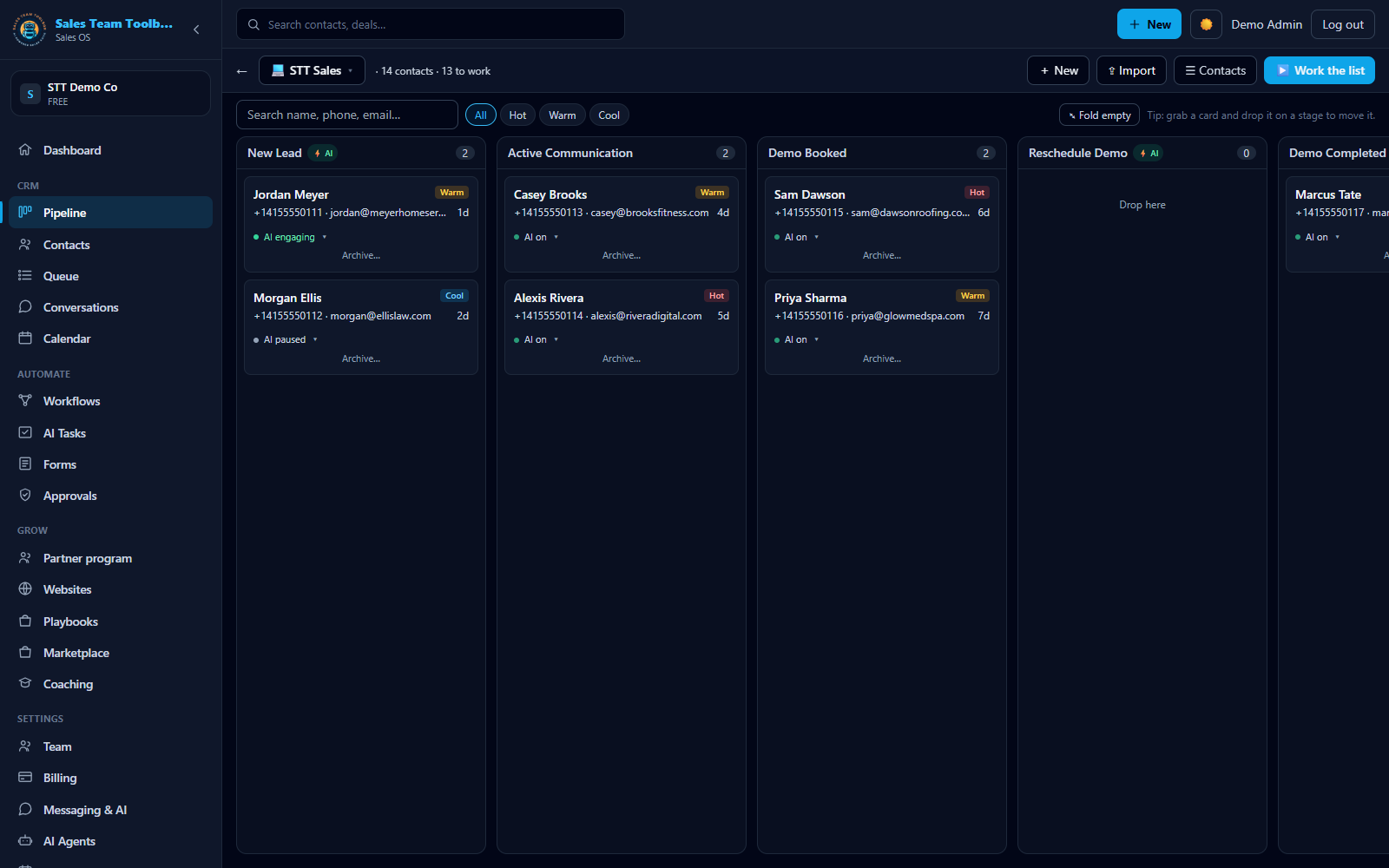 Your pipeline board — every deal on a stage, tier-scored, with the AI engaging automatically.
The pipeline board
Open CRM for a Kanban board whose columns come straight from your playbook stages. Each card is a lead with a Hot / Warm / Cool tier badge.
- Add a lead — create one by hand with name, phone, email, and tier.
- Bulk-import — paste a list as
Name, Phone, Email, Tierto load many at once. - Drag to advance — move cards between stages as deals progress.
The board is where you work leads day to day. Work the list walks through the rhythm — filter to a tier, pick a card, and start the follow-up from there.
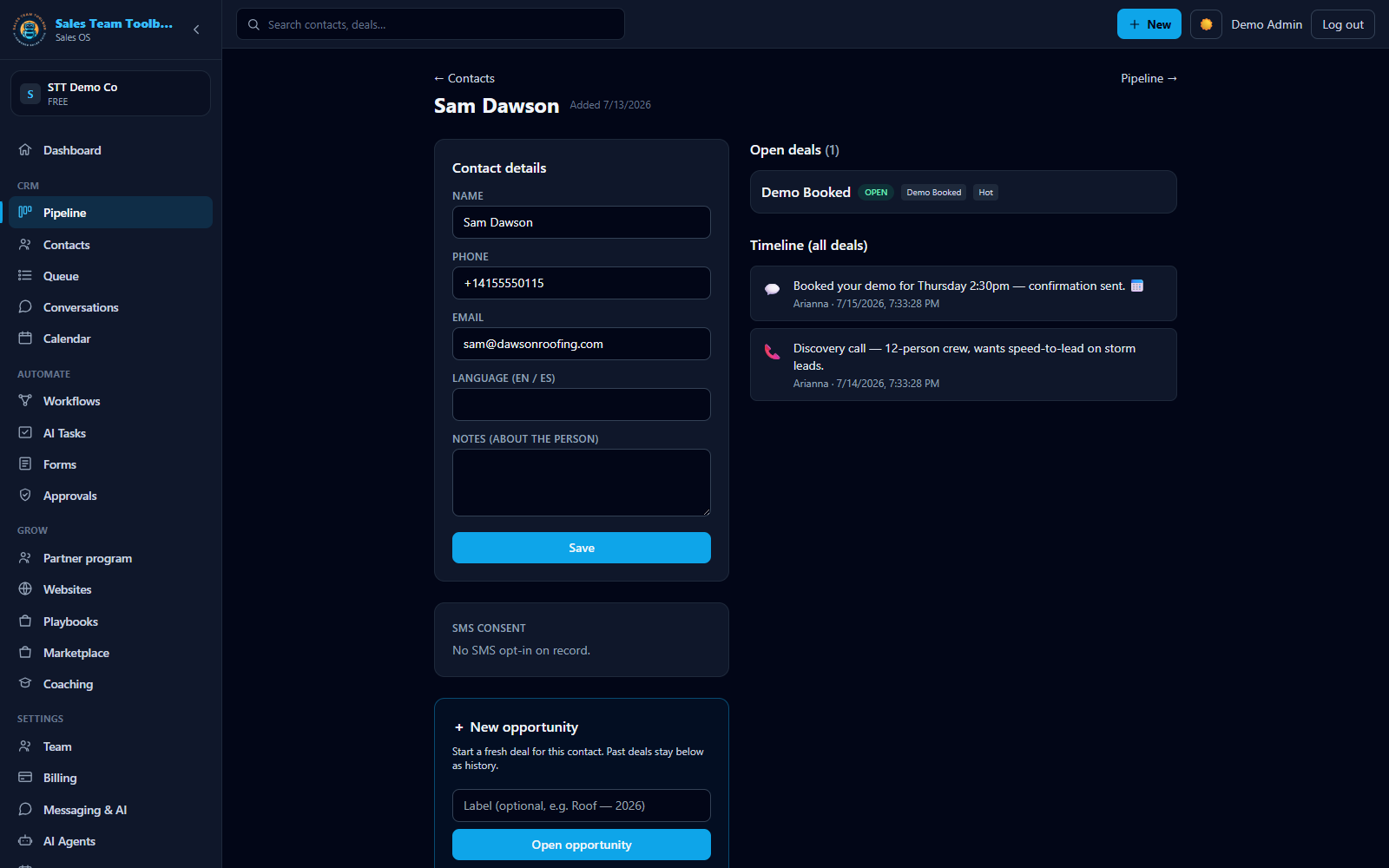 The contact record — every call, text, email & note on one timeline, for you and the AI.
The contact record
Click any lead to open its detail page. From here you can:
Edit the details
Update name, phone, email, tier, stage, and notes.
See what the AI is doing
A status pill shows whether your AI rep is actually working this lead — and "Work this lead now" starts the follow-up sequence if nothing is running yet.
Send an SMS
Text the lead directly from their record. Each message is metered from your usage wallet, and shows the per-message cost. (Texting requires a verified business number — see Business texting.)
Log activity
Record a call, text, email, or note. Everything appears on the contact's Timeline so the whole team — and your AI rep — has the full history.
Why "Thinking"?
Most CRMs are a database plus a pile of automations you build and maintain. Here, your AI rep reads the same pipeline you do and drafts the follow-up, calls, and texts for you — you just approve. The CRM isn't a filing cabinet; it's the surface your AI rep works from.
Next steps
Load your leads and watch the board fill up.
Open your CRM